Design Factory Talk
by Jeffrey and Aditi
Today we had Jeffrey and Aditi come in from Design Factory, an innovation centre whose
work is applied in the healthcare, heritage, and education fields. Their practice
focuses heavily on experience and service design, and they shared insights into how
design plays a role in shaping interactions and addressing real societal needs.
During the talk, they highlighted some important questions to consider when approaching
design. They asked what we can do for user-centred design and how such design choices
can genuinely help society. Their work mainly focuses on the prototyping stage,
developing ideas and experiments before they are ready for potential commercialisation.
Their Projects
The Punggol Digital District Mural
One of the projects Jeffrey discussed involved fostering co-creation and community engagement through the Punggol Digital District mural. Because the district is such a diverse area, they wanted to create something that was not purely aesthetic, but something that invited the community to participate in shaping the mural. Their goal was to use participatory design methods to bridge the physical and digital, while highlighting artists who may not typically be in the spotlight, including those with disabilities.
The mural development was approached in multiple rounds. In the first round, participants were given the same set of instructions, but were encouraged to interpret them in their own way, resulting in a wide variety of outcomes. In the second round, caregivers were invited to contribute, allowing them to become co-artists alongside the original creators. The third round involved a co-creation workshop where participants assembled different compositions using Ezra’s artwork, which became a foundation for larger collaborative pieces.
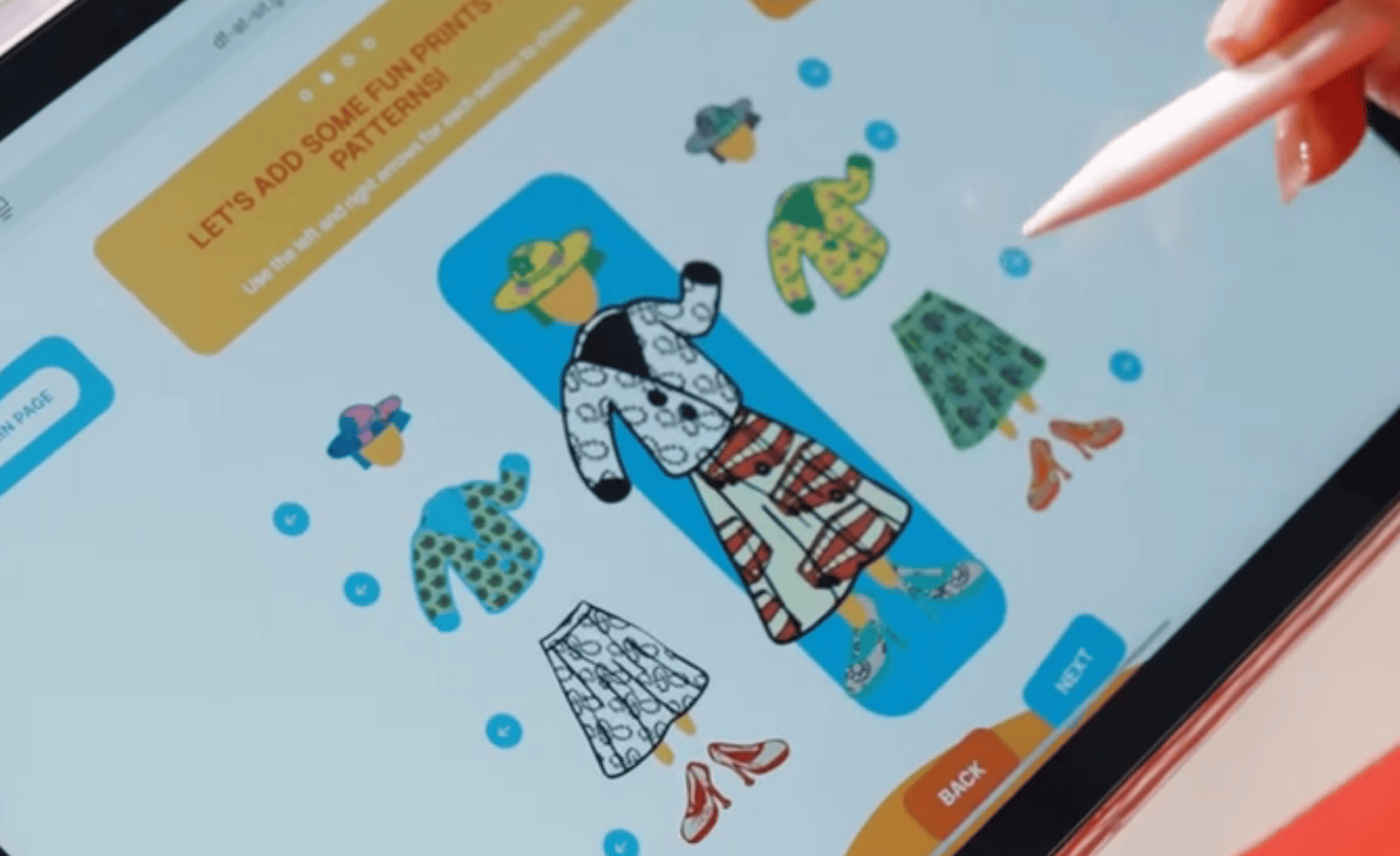
They later developed a prototype called Pelim, where people could create their own
avatars which were then injected into the digital side of the project. These avatars
were placed into the mural so people could later find their characters within the
artwork.
Jeffery also mentioned that they worked with Tell Your Children Singapore
while strengthening bonds between the artists and caregivers. The project became
extremely process-focused, successfully bridging physical murals and digital
participation.
Project with the National Heritage Board
They also shared a project with the National Heritage Board that involved working
with a vast repository of artefacts. Their aim was to reimagine how students learn
about heritage by creating opportunities for more personal investment and emotional
connection. They hoped the experience would encourage students to build empathy
through the exploration of cultural narratives.
The team spoke to students, educators, museum staff, and consultants to gather a
wide range of perspectives. This research helped narrow their approach and identify
how heritage-related interactions could be more engaging. They found that the
National Heritage Board already had many interactive tools and games that were not
being utilised to their full potential, so they explored how gamification could make
these materials more meaningful.
Students were given pathways such as curators, discoverers, or storytellers, encouraging them to explore content in different ways. Inspired by “choose your own adventure” and Dungeons and Dragons, the team even created a custom GPT as a proof of concept, embedding historical data and artefact references into a conversational system. The main challenge was striking a balance between factual accuracy and historical imagination, which became a central point of discussion. They are still conducting focus groups to determine how students engage with these ideas
← This really inspired me!
While I know I can train GPT models myself, seeing it being used in this application was really cool to me. While there is a lot of opinions whether AI usage is good or bad, this project to me shows how we can utilise it in a way that benefits us with the right training of these models. I also really like the mode of application in education by gamifying learning to reach younger audiences.
Q&A Takeaways
During the Q&A session, Jeffrey and Aditi shared some key insights about working in complex systems. They explained that designers need to be aware of the environments they step into and understand the context of their design decisions. They also emphasised that designers act as facilitators, using their creations to mediate conversations and help people reflect.
They reminded us that our practices take time to form, and that sometimes a job may not fulfil us completely. In those cases, our personal pursuits can fill those gaps, and it’s through connections and shared interests that new opportunities often emerge. This was particularly relevant when they discussed how Aditi found her job through community engagement and networking.
They also spoke about the importance of vulnerability in a portfolio. Instead of only showcasing polished outcomes, we should include moments where things did not go perfectly and explain how we resolved those issues. Demonstrating what we learnt from difficulties or failures reflects growth and authenticity, rather than just skill execution. They encouraged us to view our FYP as a chance to understand ourselves as designers, rather than simply a stepping stone toward employment.
Work Check!
Table Setup
For my table setup, I was initially worried about how to display my work since most of it is digital. One of my main concerns was my TouchDesigner pieces, as they sometimes break or fail unexpectedly. If anyone wanted a demonstration, I would need to be physically present to supervise, which is not ideal. Even if I were there, it wouldn't be easy to fix issues on the spot if anything went wrong.
Because of this, I decided that the safest and clearest way to showcase my TouchDesigner project was to create a video demonstration. I also included the small writing task probes I conducted earlier in the semester as another point of reference. Although I wished I had more substantial physical items to present, I felt it would not be a good idea to print unfinished work at this stage. Perhaps this documentation can grow into something more meaningful later on.
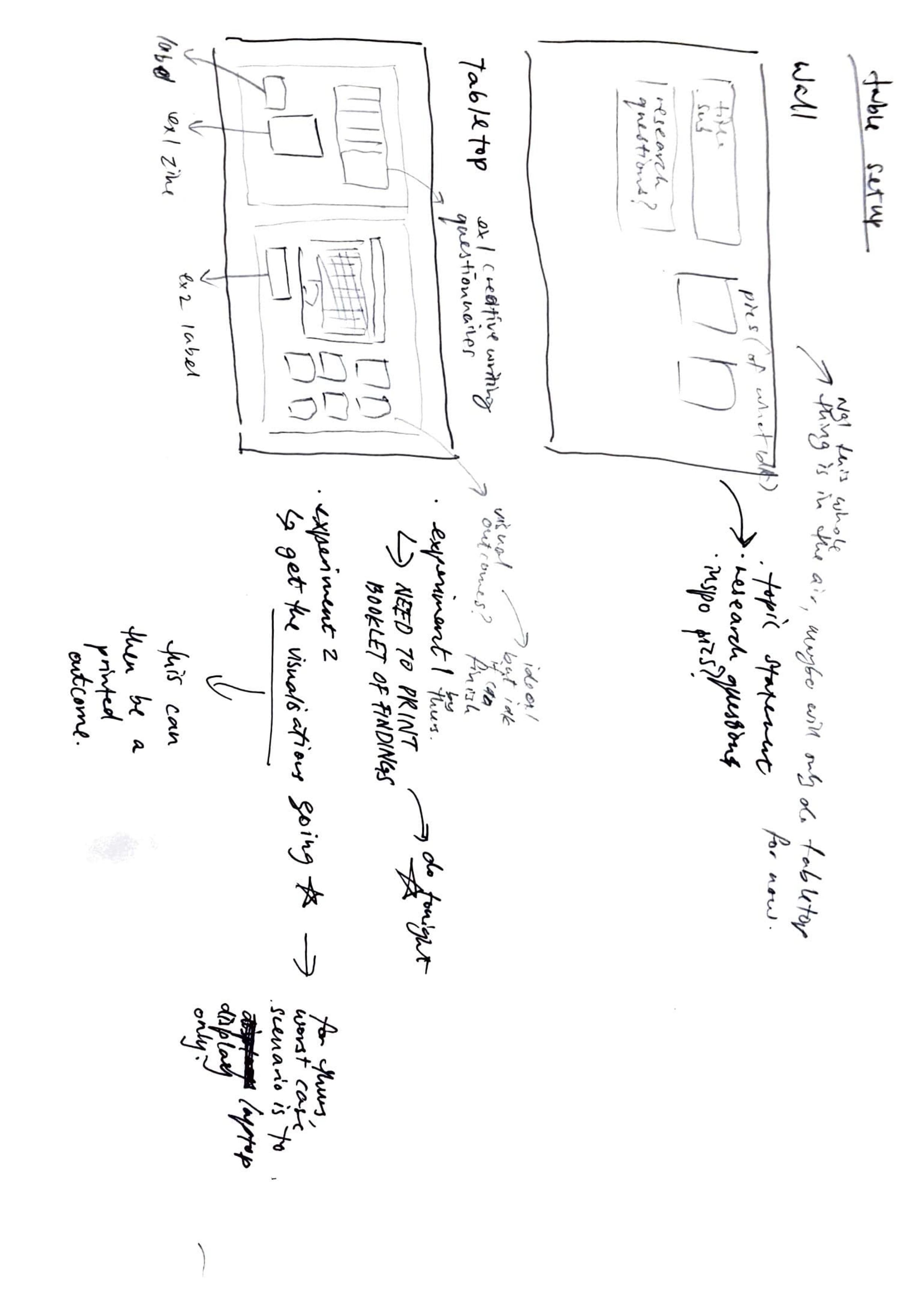
Sketch — My initial table setup idea
Consult Notes
Andreas advised me to document my work in a video, which reassured me that I am heading in the right direction. He also shared a useful shortcut: Option + Command + D that hides the hotbar during recording, making the video cleaner. He then brought up a common problem designers face which is our technical skills sometimes lag behind our vision. To tackle this, he said it’s important to write out my ideas clearly, including the concept, scope, and target audience, so that even without perfect execution, others can still understand the direction.
He also suggested creating a moodboard to explore what each chatbot personality could look and feel like. Another suggestion was to build a paper prototype by placing different responses on a laptop screen to visualise the interactions. Once the ideas are clearer, I can work towards creating low-fidelity prototypes in Illustrator, which can eventually develop into a functional app later on.
Andreas encouraged me to find case studies for chatbot personalities from films, books, and existing work. He also mentioned that I could even ask AI how it envisions certain personalities, which might give me unexpected insights. Finally, he suggested that I further develop Experiment 1 as a way of gathering more insight and data before committing to more complex prototypes.
Reflection
I completely agree when Andreas talked to me about how the limitations with doing
technical work, especially when we are not coders. In a way yes, I do worry that
my work wont take shape but on the other hand, I never considered that it wouldn’t be
possible.
This was kind of a self-reflection moment for me as I do think of myself as a very
realistic person, but at times I can definitely be too ambitious. So while I do think my
plans are possible to carry out, I might underestimate the learning curve for me to get
there at times. But I am getting better at gauging what is realistic for me to carry out
now!
While I learn how to execute the items that require coding, I will take Andreas’ advice
to do paper prototyping or Figma prototyping, as well as moodboard over the project
week.